Open source desktop app
Drag a card.
An agent starts.
An agentic development environment for AI coding agents. Spawn, suspend, and resume sessions across fifteen agent CLIs from one board, with your own backlog and your own workflow. Local, free, open source.
npx kangentic 

- 15 Agent CLIs
- 0 Accounts
- $0 Forever, AGPL

The steps
How it works
Four steps from a board you define to a diff you can merge.
-
Configure your board
Shape the board around your workflow: the columns a task moves through, and the agent and permission mode each one runs. Keep the default board or make it your own.
-
Create a task
Add a card with a title and prompt, plus screenshots, a source branch, and worktree isolation. Or let an agent file it through the built-in MCP server.
-
Drag to run
Drag the card to an active column. Based on your board configuration, Kangentic creates a worktree, applies the permission mode, and starts the agent.
-
Watch it code
The agent starts writing. Follow along in its live terminal: diffs, test results, and tool calls as they happen.
The problem
The problem with parallel agents
Agents finish real work now
A coding agent can take a task from prompt to a diff on its own. Give each task its own git worktree and you can run a dozen of them at once, across every project you own, and ship faster than one person can keep up with.
The bottleneck moves to you
Which one is waiting for an approval? Which one just finished? Which branch conflicts with which? A dozen terminals across three projects turns your day into a search for the one that needs you, and that is exactly where the speed goes.
One board, every agent
Kangentic drives the agent CLIs you already have and puts every session on one board, in columns you define. Each card shows its model, how much of the context window is used, and what the agent last said, with a mark on the ones that need you. Answer those from the board or from your phone, and let the rest work.
Agents
Any Agent, One Board
Fifteen agent CLIs on one board. Spawn, suspend, and resume sessions with a drag.
Run Claude Code, Codex, Gemini, Cursor CLI, GitHub Copilot CLI, Grok Build, Antigravity, Goose, OpenCode, Aider, Qwen Code, Kimi Code, Factory Droid, Warp (Oz CLI), and Ollama side-by-side on the same Kanban board. Drag tasks to spawn, suspend, and resume sessions. Mix agents per column and hand off context between them.
Docs Agent orchestration Activity detection Session persistence
Backlog
Bring your own backlog
Import issues, project cards, and work items from the tools your team already uses.
Pull tasks in from GitHub Issues, GitHub Projects, Azure DevOps, and Asana, including titles, descriptions, labels, and inline images. Triage them in the backlog, then batch-promote to any column when you're ready to run agents. Already-imported items are detected automatically so re-syncing is safe.
Workflow
Bring your own workflow
Workflows run linked tasks in order, columns run their own rules, and agents drive the board through MCP tools. Use one, or mix all three to fit how your team ships.


- Turn ends The agent finishes a turn The task is still in its column, and its agent waits.
- Automations The column's automations run first Top to bottom. If one moves the task, say back a column, that move wins.
- Workflows Then the workflow moves it on Once its check finds the work done, even with no automations set up.
- Next column The task enters its next column Its automations run there, and the cycle starts again.
Features
Everything on one board
Pick a feature to see it in the app, or let the tour play.
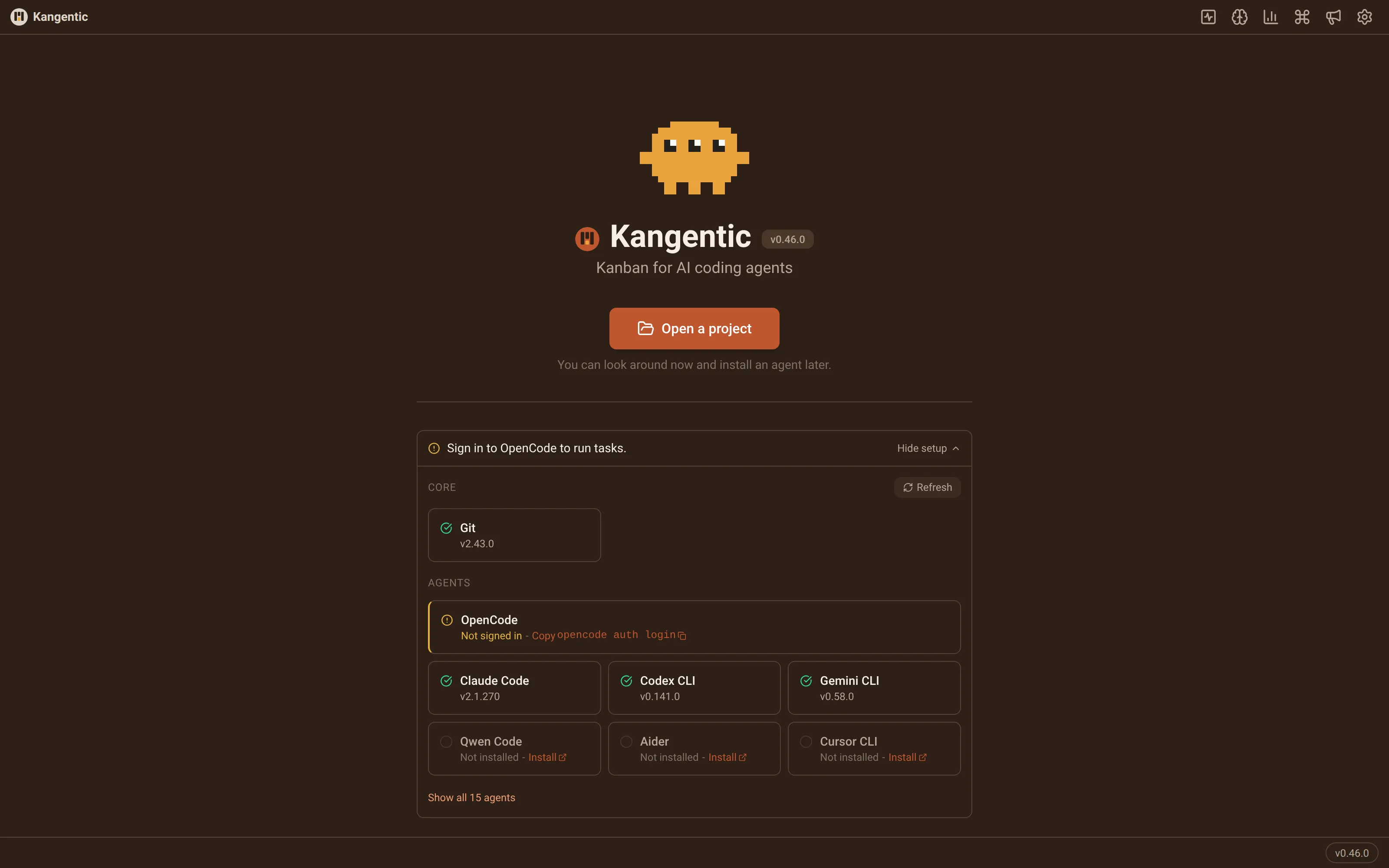
Your CLIs, your machine
Kangentic runs on your desktop and launches the agent CLIs you already have, with your own logins and subscriptions.
- Finds each installed CLI and flags any that need a sign-in
- Boards, tasks, and transcripts stay in a local database
- Analytics never include your code or task content
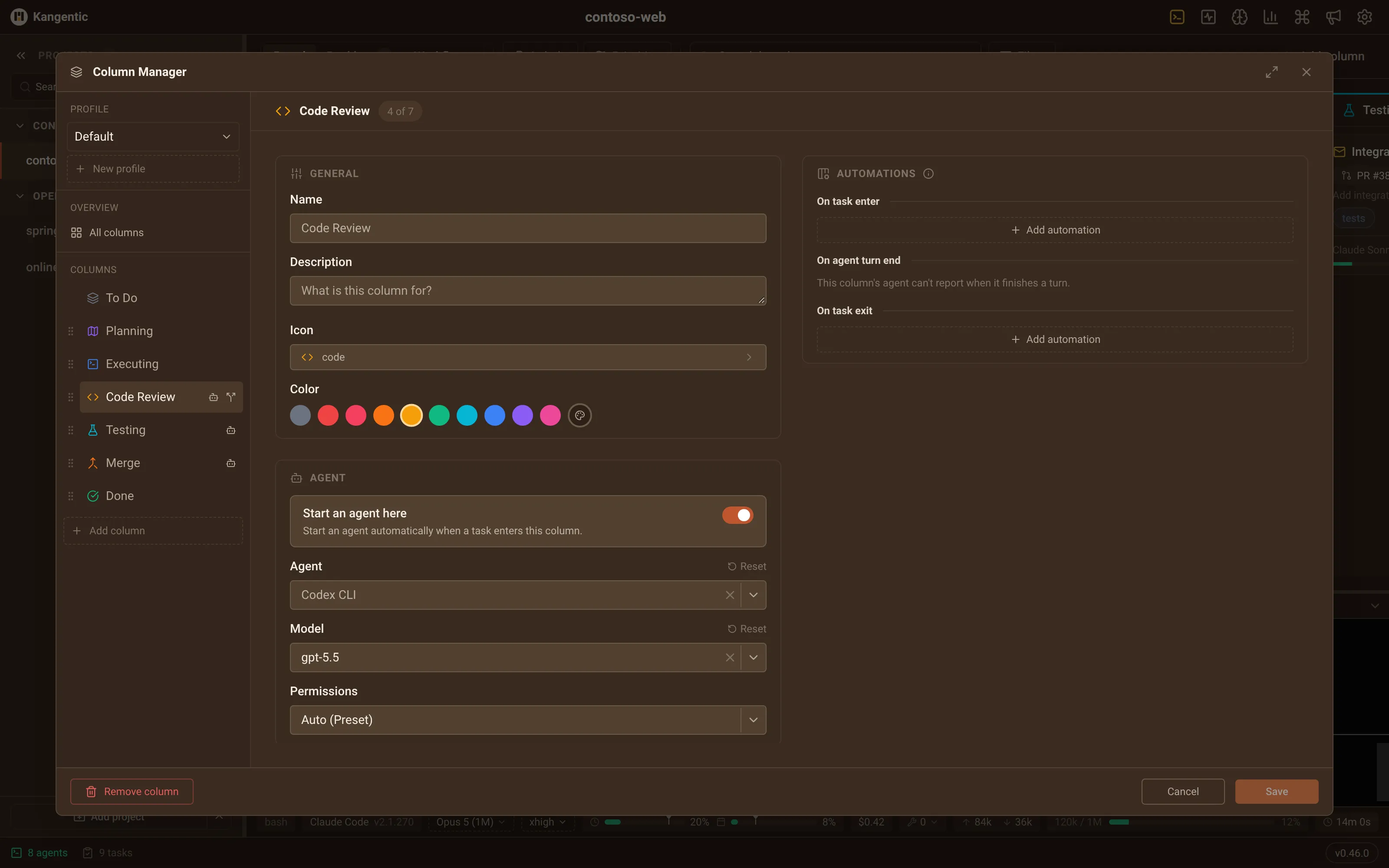
Column Manager
Every project gets its own board. In the Column Manager you add and reorder columns, then decide what each one does.
- Start an agent in a column, and pick which one
- Set permissions per column, from what that agent supports
- Share the task's conversation, or start clean on every entry
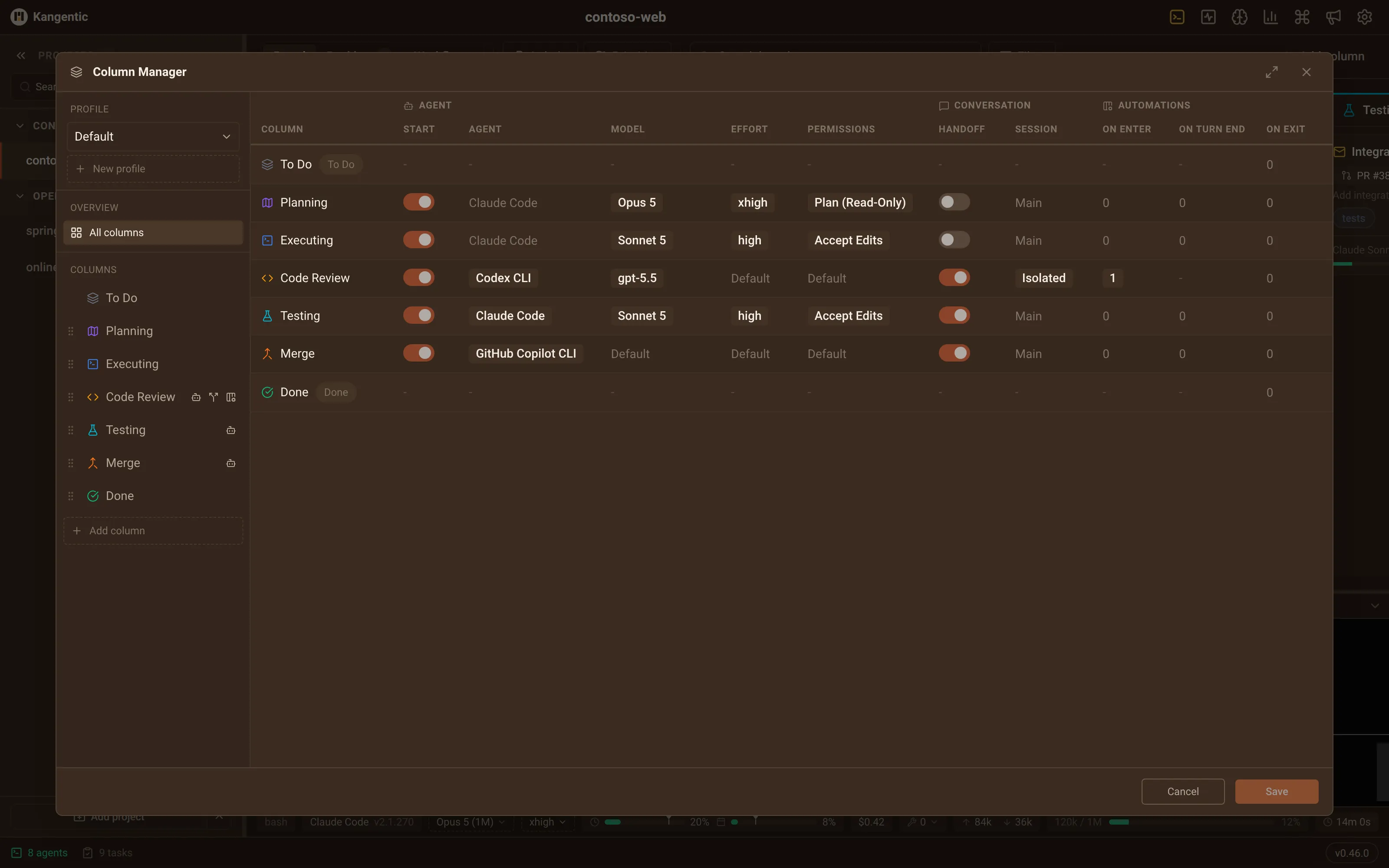
Model & effort routing
Give each column its own agent, model, and effort, and save the whole ladder as a board profile. Cards pick up the change as they move, so you never type a /model command.
- Plan on a heavy model, merge on a lighter one
- Pin one task to its own agent and model with Agent Override
- Profiles live in kangentic.json, so your team shares them
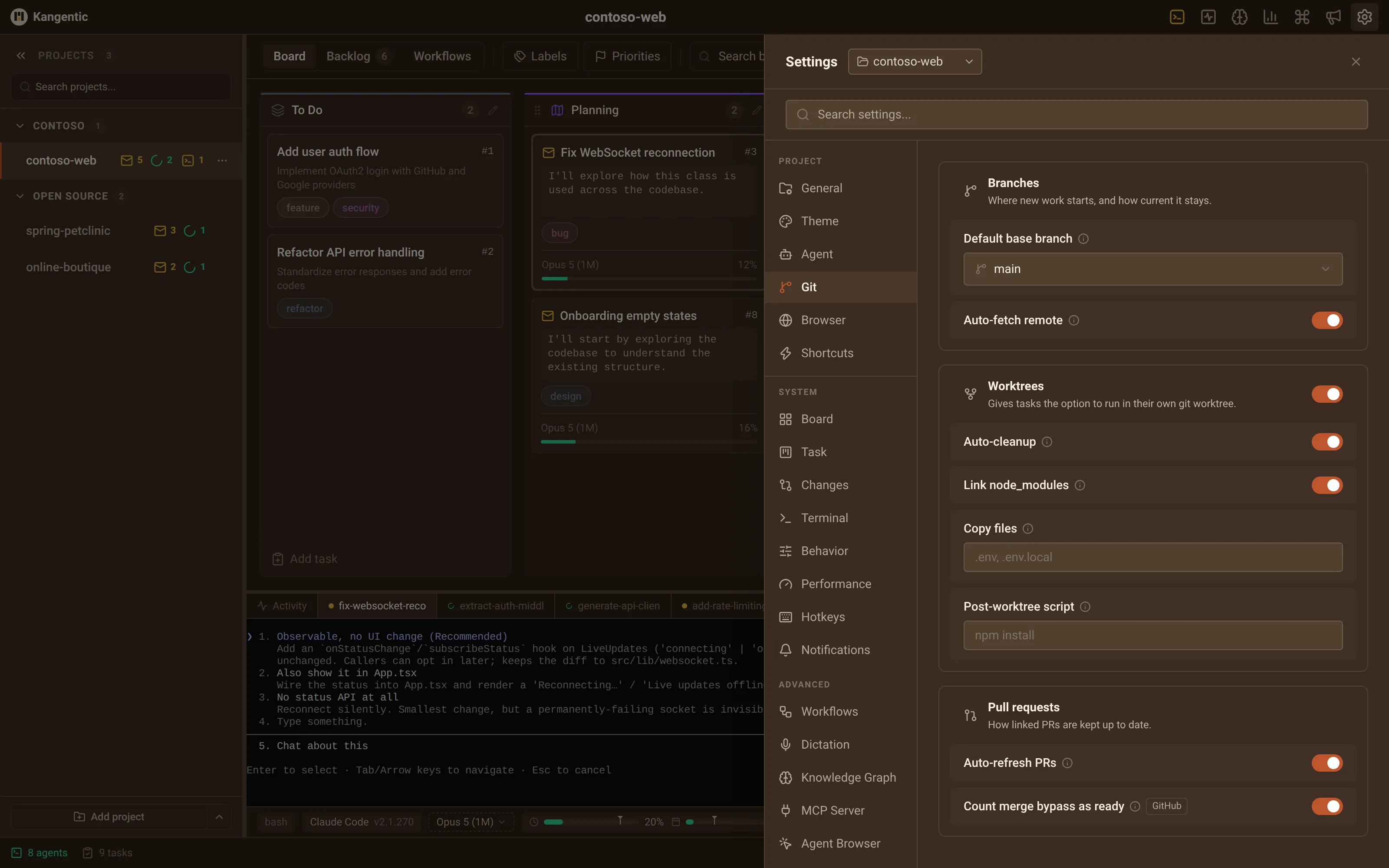
Git worktrees
Each task runs in its own worktree on a new branch from your base branch, so parallel agents never collide and your project folder stays untouched.
- Name the branch, pick the base, or run in the project folder
- Update from base fast-forwards only, never merges or rebases
- Done keeps the branch; drag the card back to pick up again
Status on every card
Every card shows whether its agent is thinking, idle, or waiting on you, read from each CLI's own hooks where it has them.
- The agent's latest message, right on the card
- Per-project counts in the sidebar
- A desktop alert or a phone push when one needs you
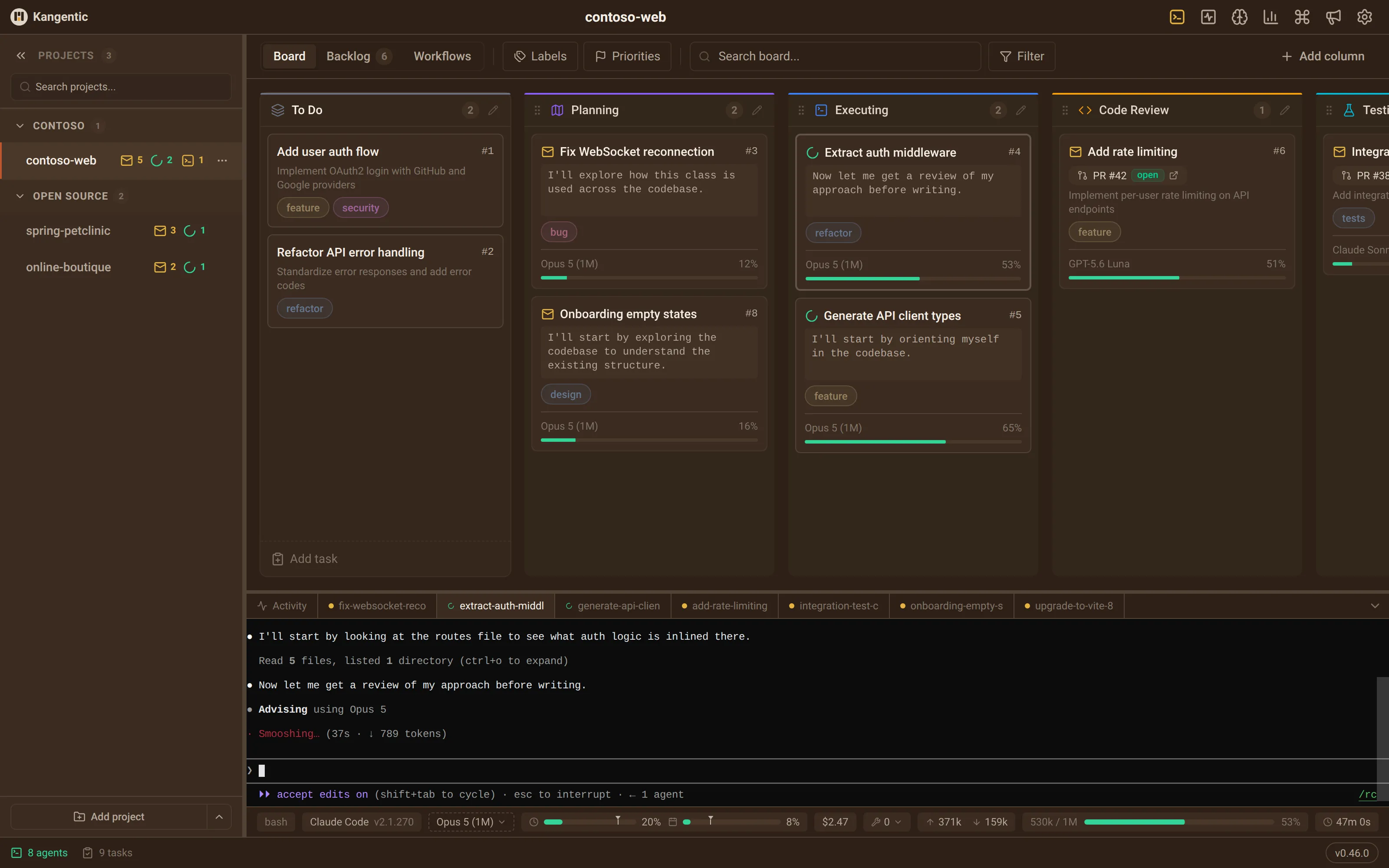
Built-in MCP Server
Most agents get Kangentic's MCP tools in every session, with nothing to install. They file and move tasks, search past sessions, message another task's agent, and drive the Browser pane.
- Runs inside the app on localhost, with a fresh token each launch
- Added per session, so your own MCP servers keep working
- Reserves free dev ports so parallel agents never clash
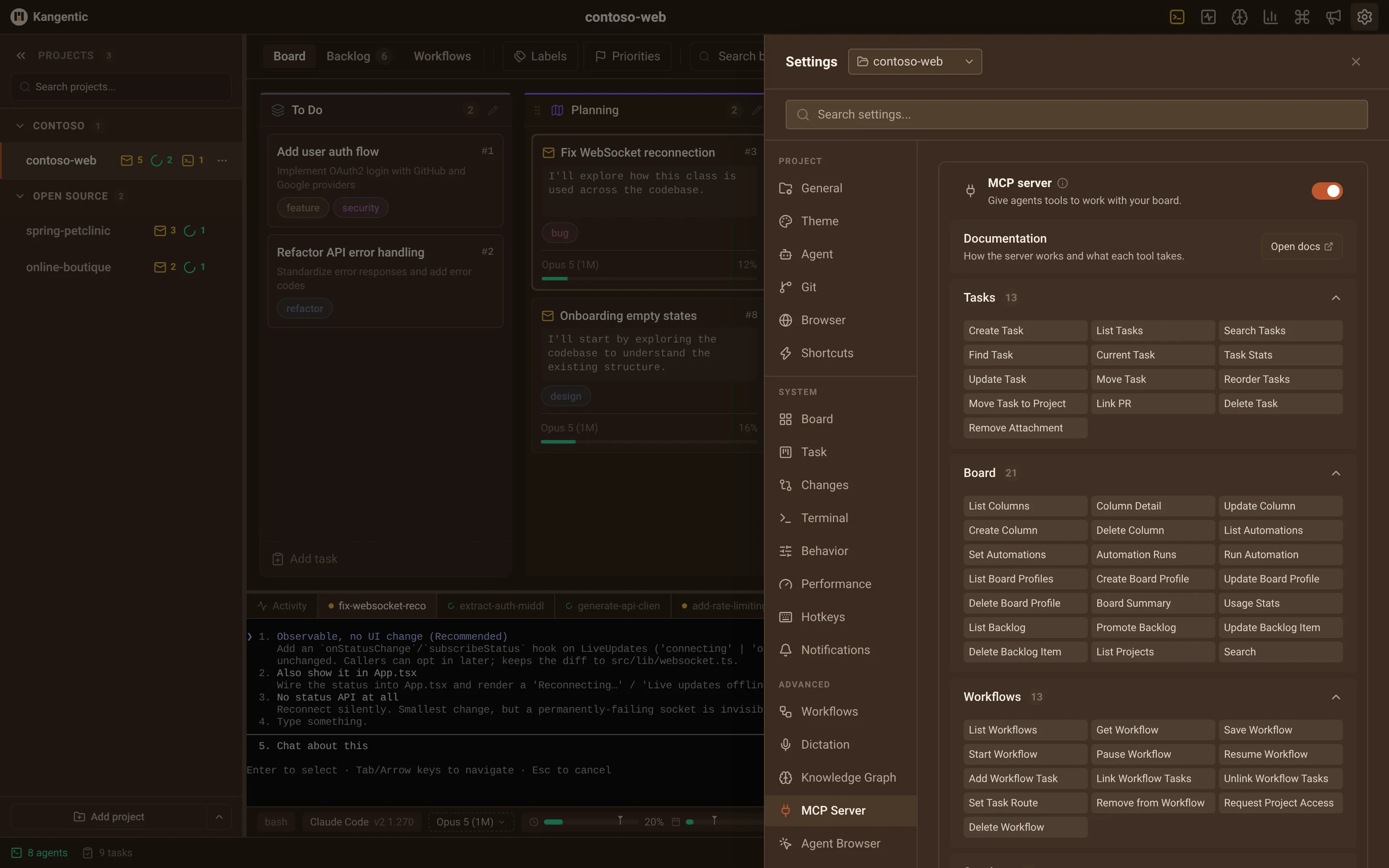
Agent Browser
Agents drive a real browser beside their terminal: they open your dev server, click through what they built, read the console and network, and screenshot the result.
- Draw on the page or inspect an element, then send it as a prompt
- Each agent can reach only its own project's Browser panes
- Switch clicks, navigation, and eval on or off in Agent Browser settings
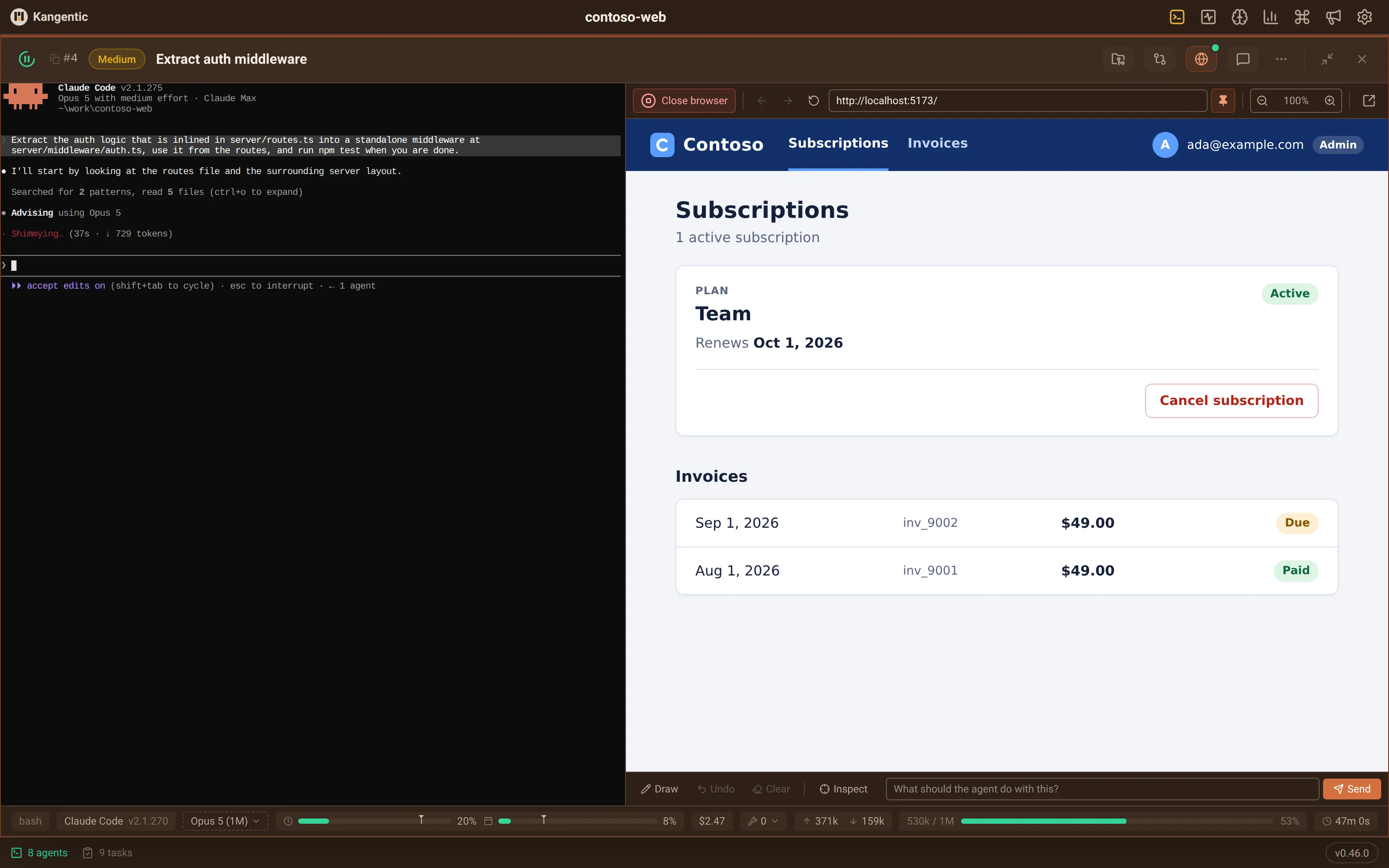
Agent Monitor
One overlay lists every live agent session across every project, as cards, a table, or a list, with a peek at each session's latest output.
- Group by project or status, and filter by agent, model, or label
- Open any task right inside the monitor
- Pop it out onto a second display
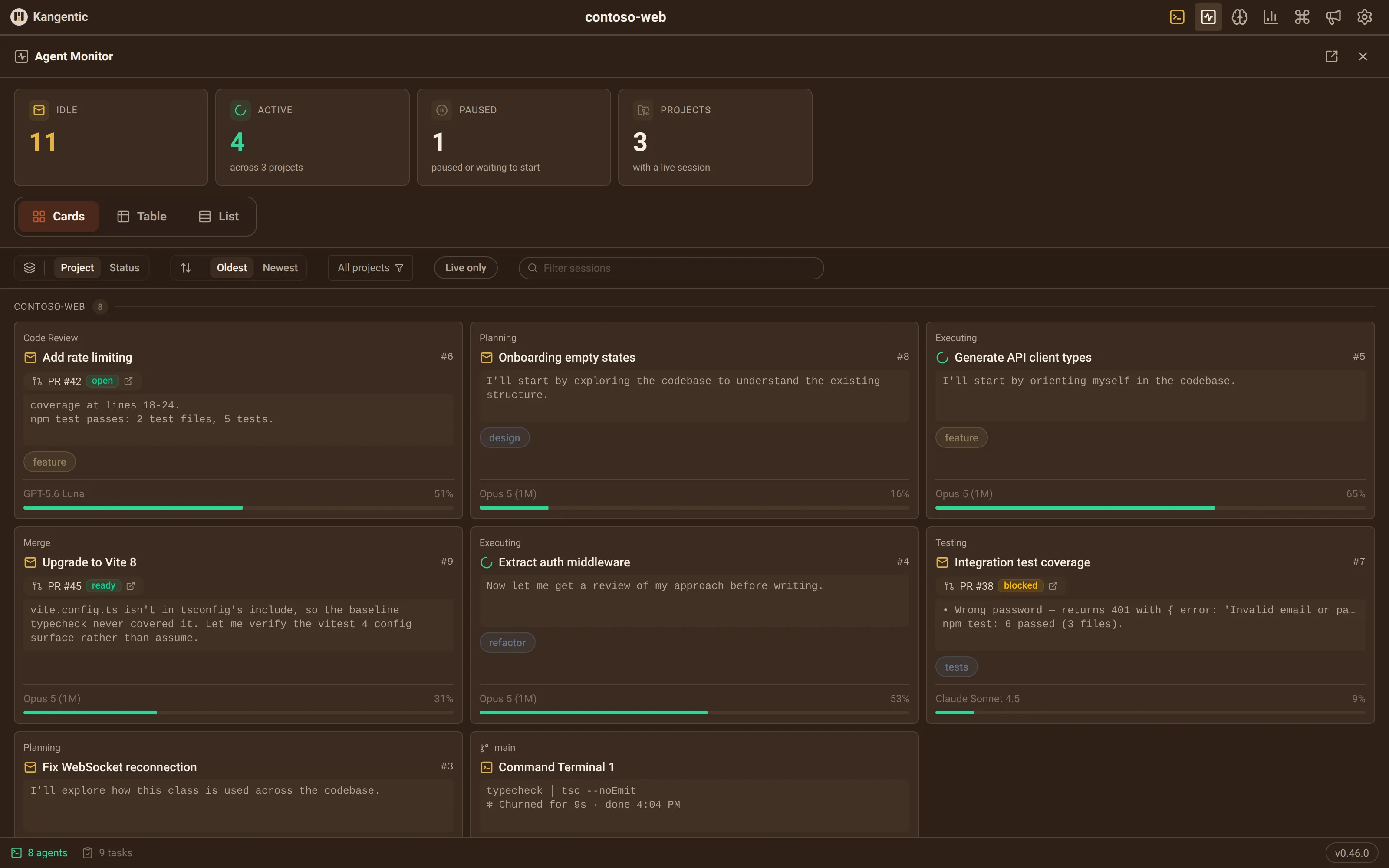
Changes panel
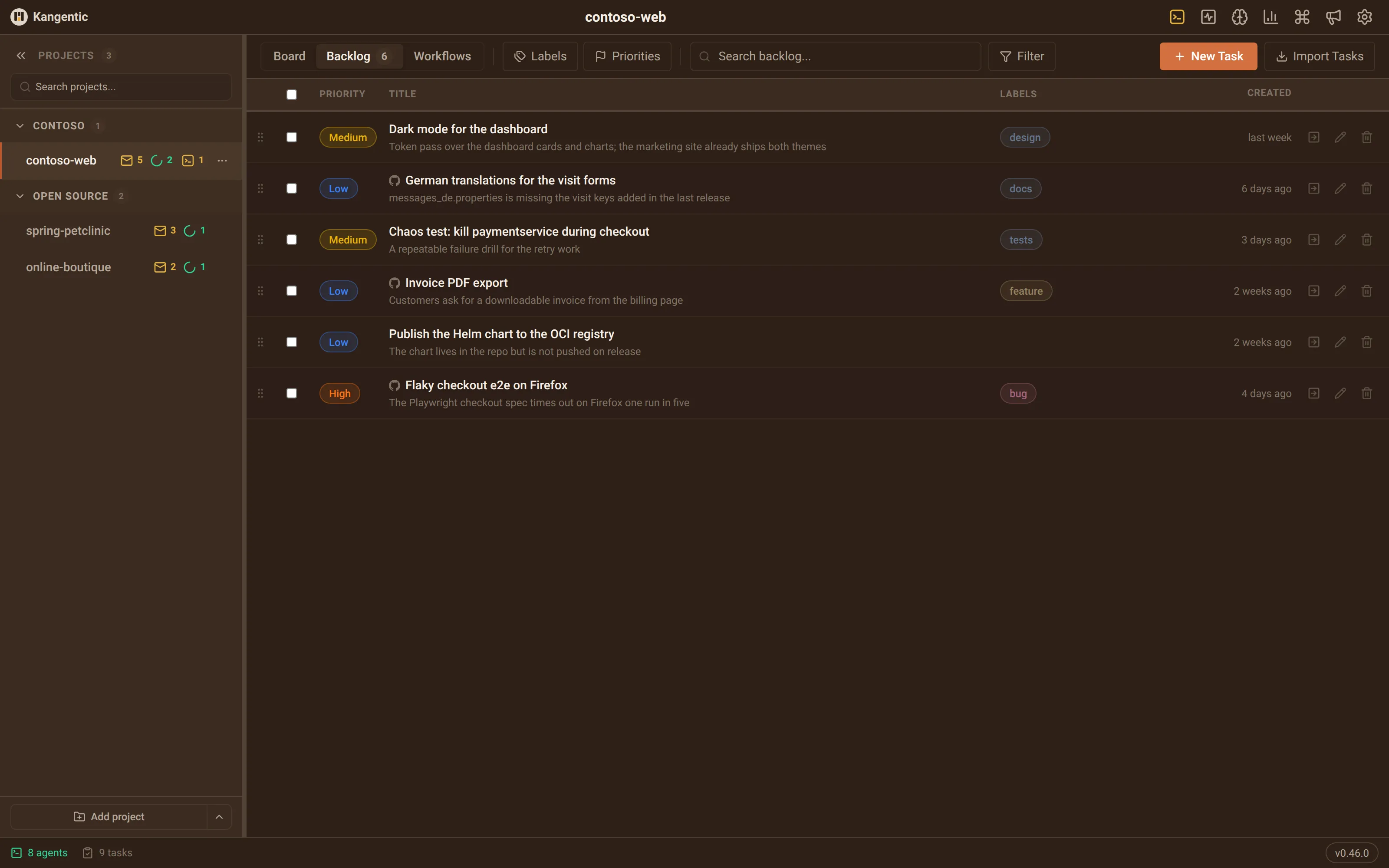
Review an agent's work without leaving Kangentic: a file tree, a split or inline diff, and the branch's commit history.
- Switch between working, staged, and whole-branch changes
- Tick files off as viewed, and the marks are kept
- Blame, Markdown preview, and keyboard jumps between changes
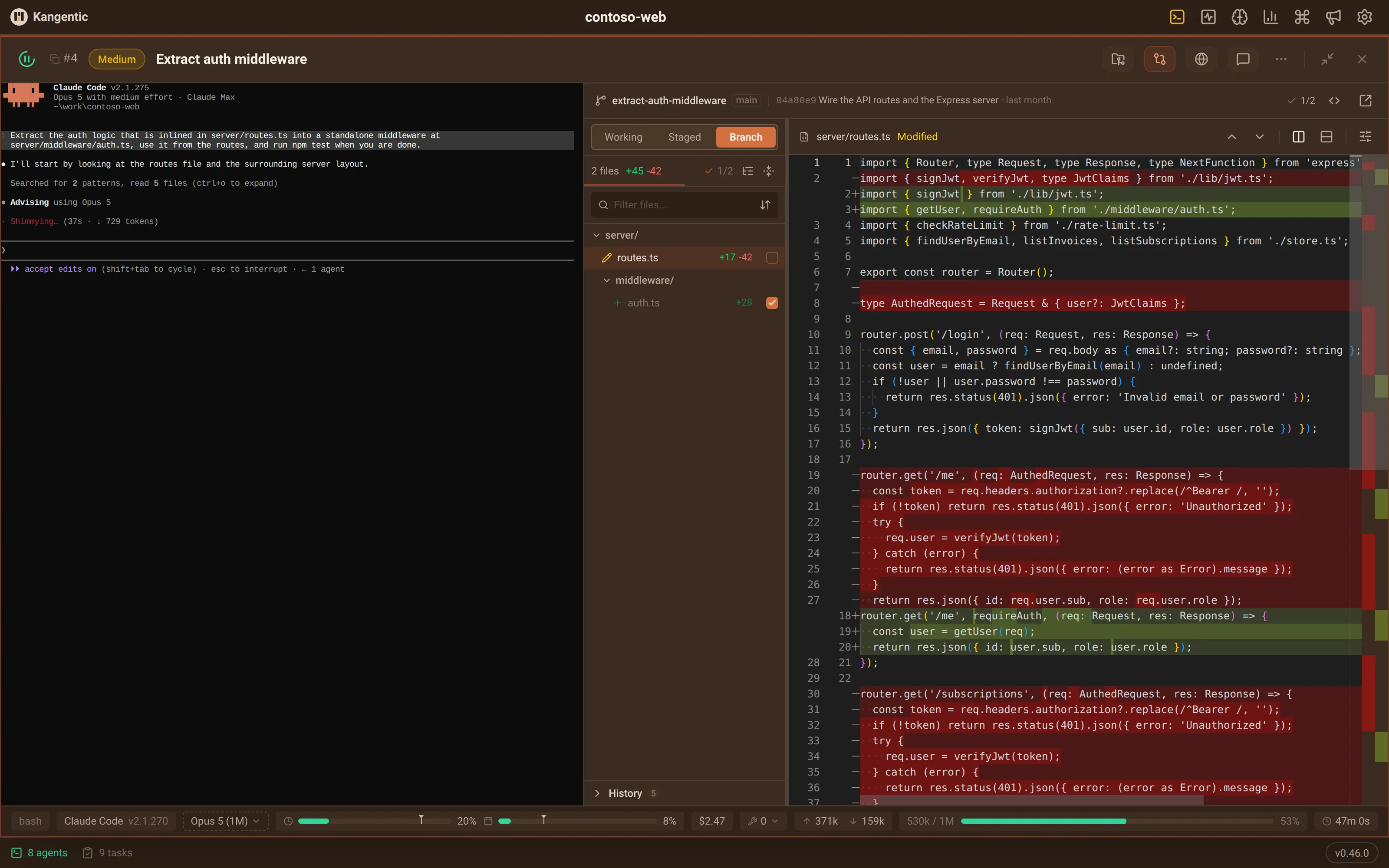
Knowledge Graph
Turn it on and your past conversations, tasks, and commits become a map you can explore and search by meaning. Ask a question and an agent you pick answers from it.
- Indexes conversations, tasks, commits, and source code
- The index, the map, and the search run on your machine
- The answering agent can search, never change anything
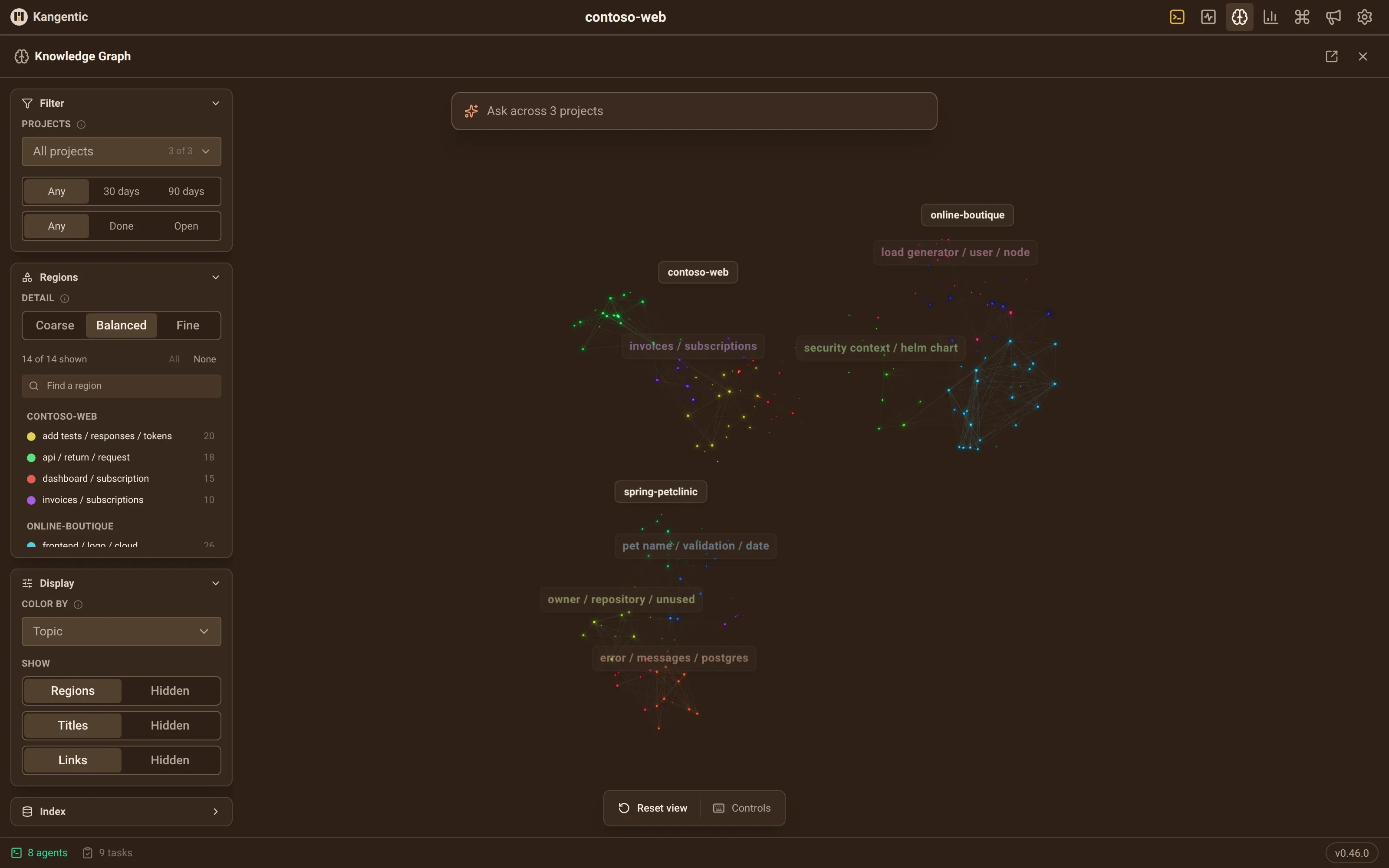


Tasks
Create tasks
The title and description become the agent's first prompt. Add files, a priority, and labels, or let an agent file the task for you through MCP.
- Paste or drop any file; large screenshots are compressed for you
- Type @ to autocomplete a file path in the description
- Follow the column settings, or pin one agent for the whole run
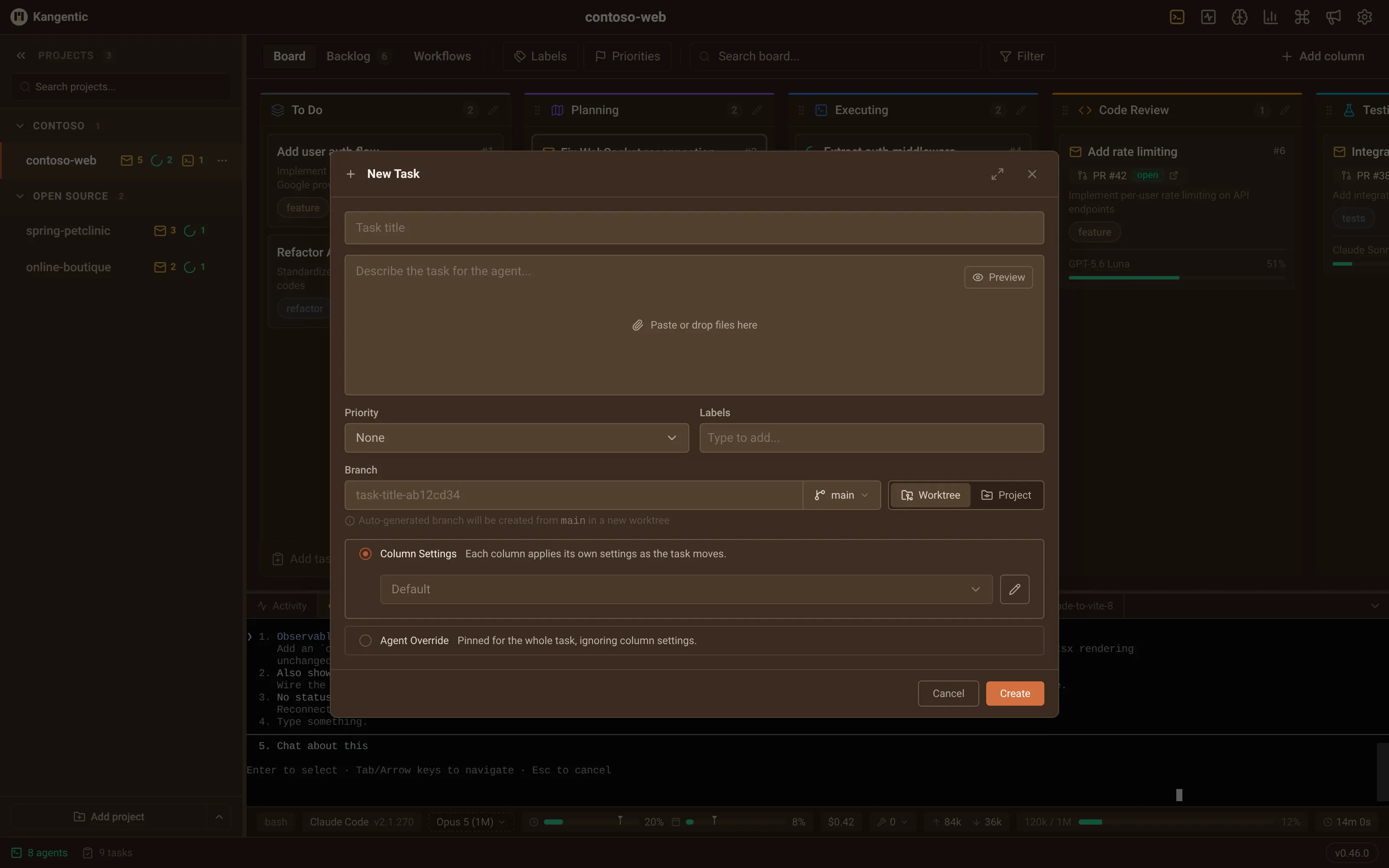
Backlog
Backlog, labels & priorities
Stage work in a backlog before it reaches the board, then promote a batch to any column in one move.
- Rename and recolor labels, and shape your own priority scale
- Filter and search the same way on the backlog and the board
- Import from GitHub Issues, GitHub Projects, Azure DevOps, or Asana
Handoff
Handoff context
Switch on handoff for a column, and when a card arrives from a different agent, the new agent reads the previous one's conversation instead of starting from the task title.
- Passes the real history file, not a summary
- Any agent can receive a handoff
- With no history to pass, the next agent gets the git log
Activity
Activity tab
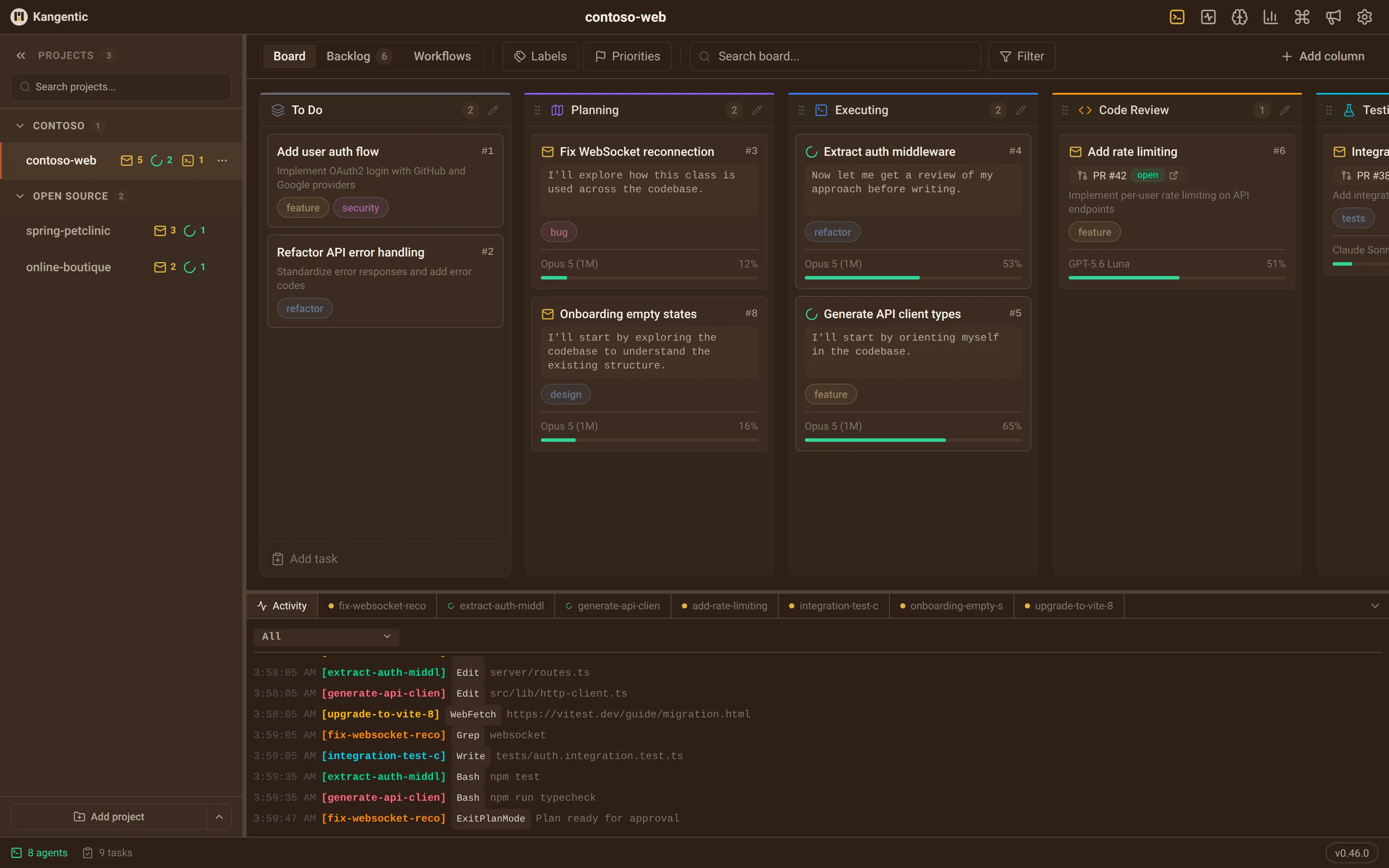
The Activity tab in the bottom panel turns raw terminal output into one readable feed for the project's sessions.
- Each tool call, and the file it touched
- When an agent went idle or is waiting on you
- Sessions spawning, suspending, and resuming
Context
Context bar
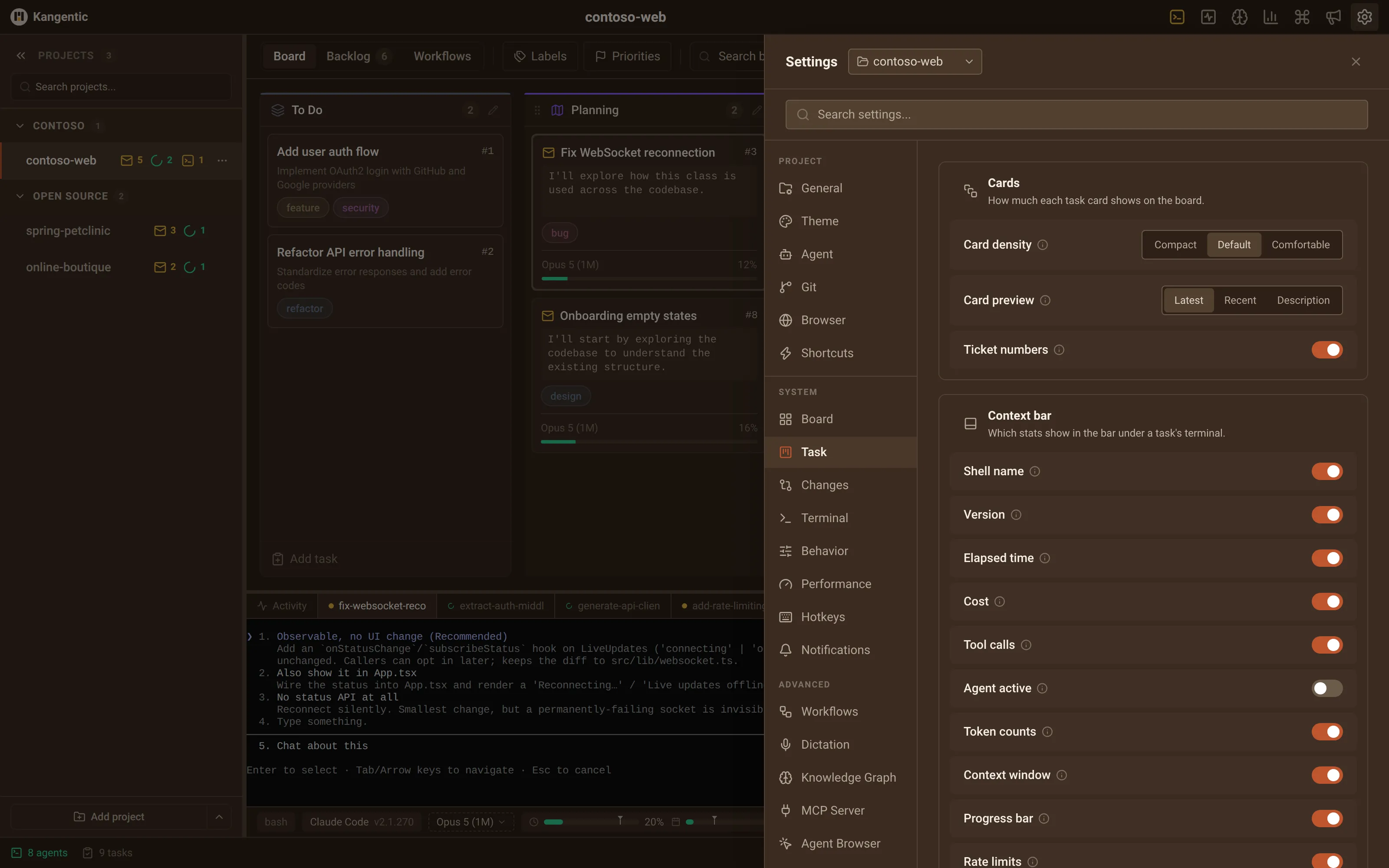
A live strip under every terminal shows the model, cost, tokens, tool calls, elapsed time, and, where the agent reports it, how full the context window is.
- Click the model or effort pill to change it for that task
- Click tool calls for a per-tool breakdown
- Turn each stat on or off in Task settings
Merge
Pull requests
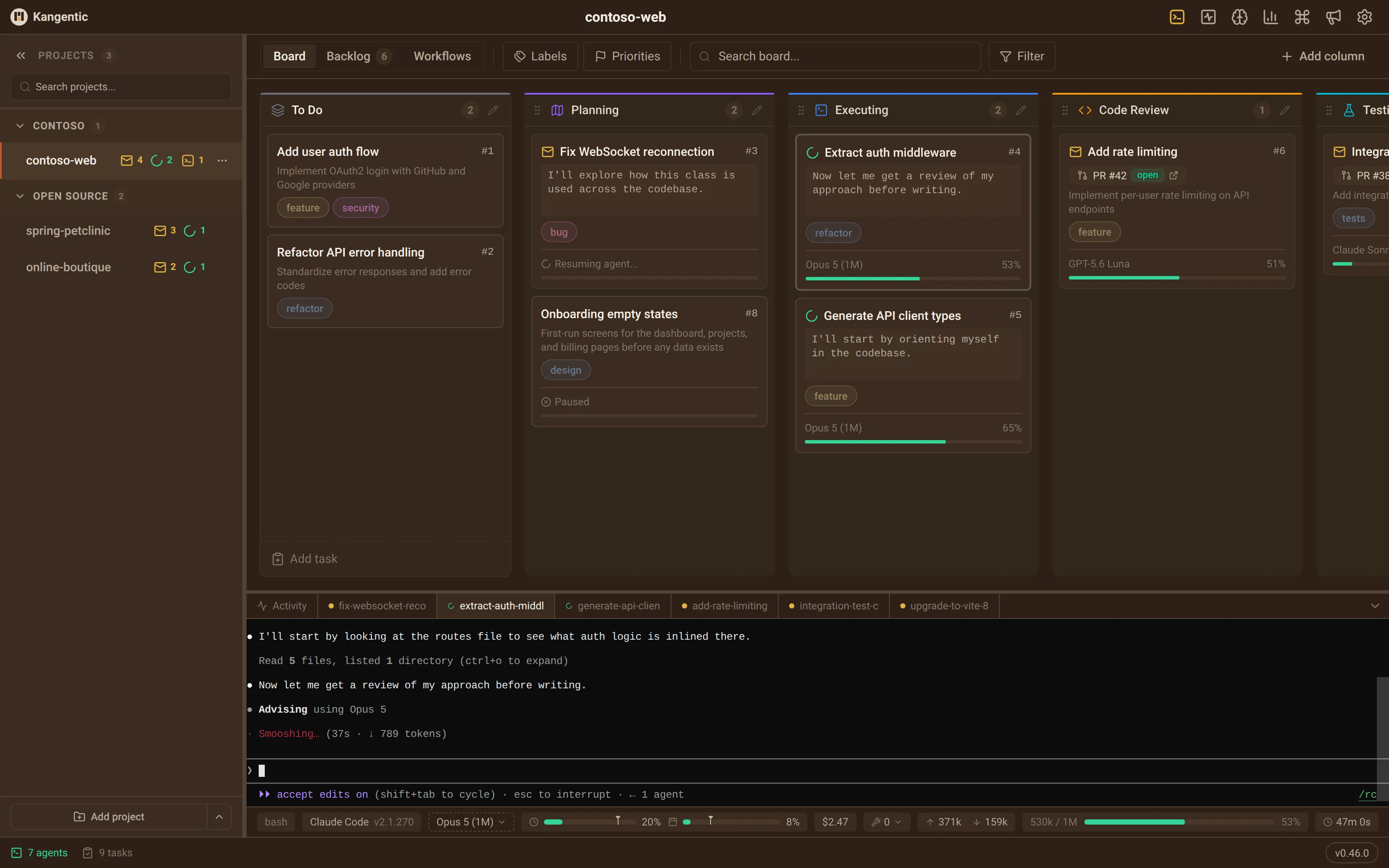
When an agent opens a pull request, Kangentic links it to the task and keeps its status on the card.
- Works with GitHub and Azure DevOps, or paste a PR in by hand
- The badge says ready, blocked, conflicts, or checks running
- Rechecks open PRs on its own, faster while checks run
Sessions
Session persistence
Every session is written to a local database as the agent works, so a crash, a restart, or a pause never loses it.
- Agents resume their own conversation where the CLI supports it
- Sessions you paused stay paused after a relaunch
- Terminal scrollback comes back with them
Usage
Usage Stats
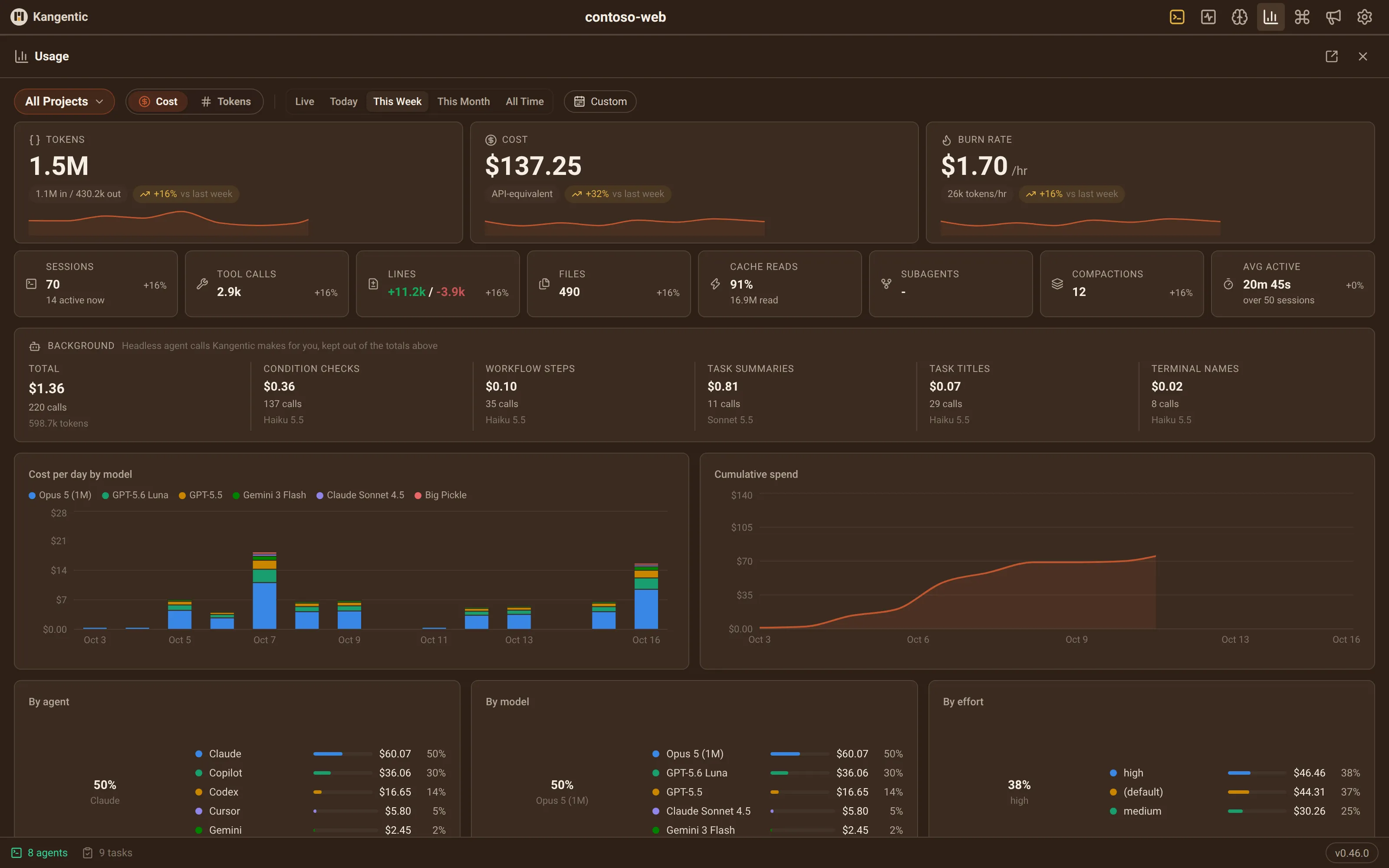
One dashboard for what your agents cost and consume: tokens, cost, sessions, tool calls, and burn rate, for one project or all of them.
- Live, today, this week, this month, or all time
- Break it down by model, agent, and reasoning effort
- Totals survive deleting tasks and sessions
Search
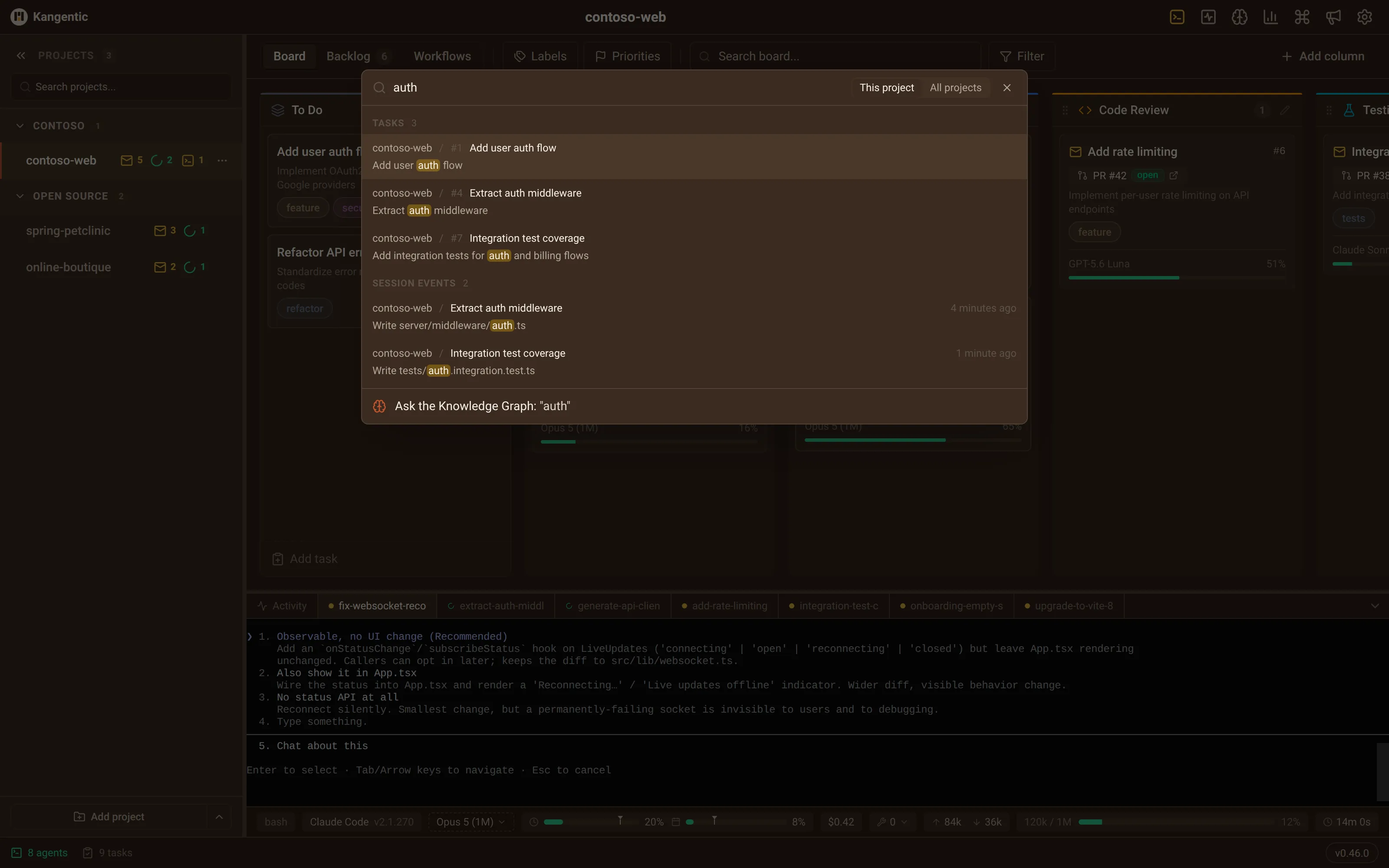
Quick Find
One shortcut, from anywhere, searches tasks, the backlog, session events, and every past agent conversation by keyword.
- Type #42 to jump straight to a task
- Opens a past conversation at the exact turn that matched
- Hand any search to the Knowledge Graph from the last row
Windows
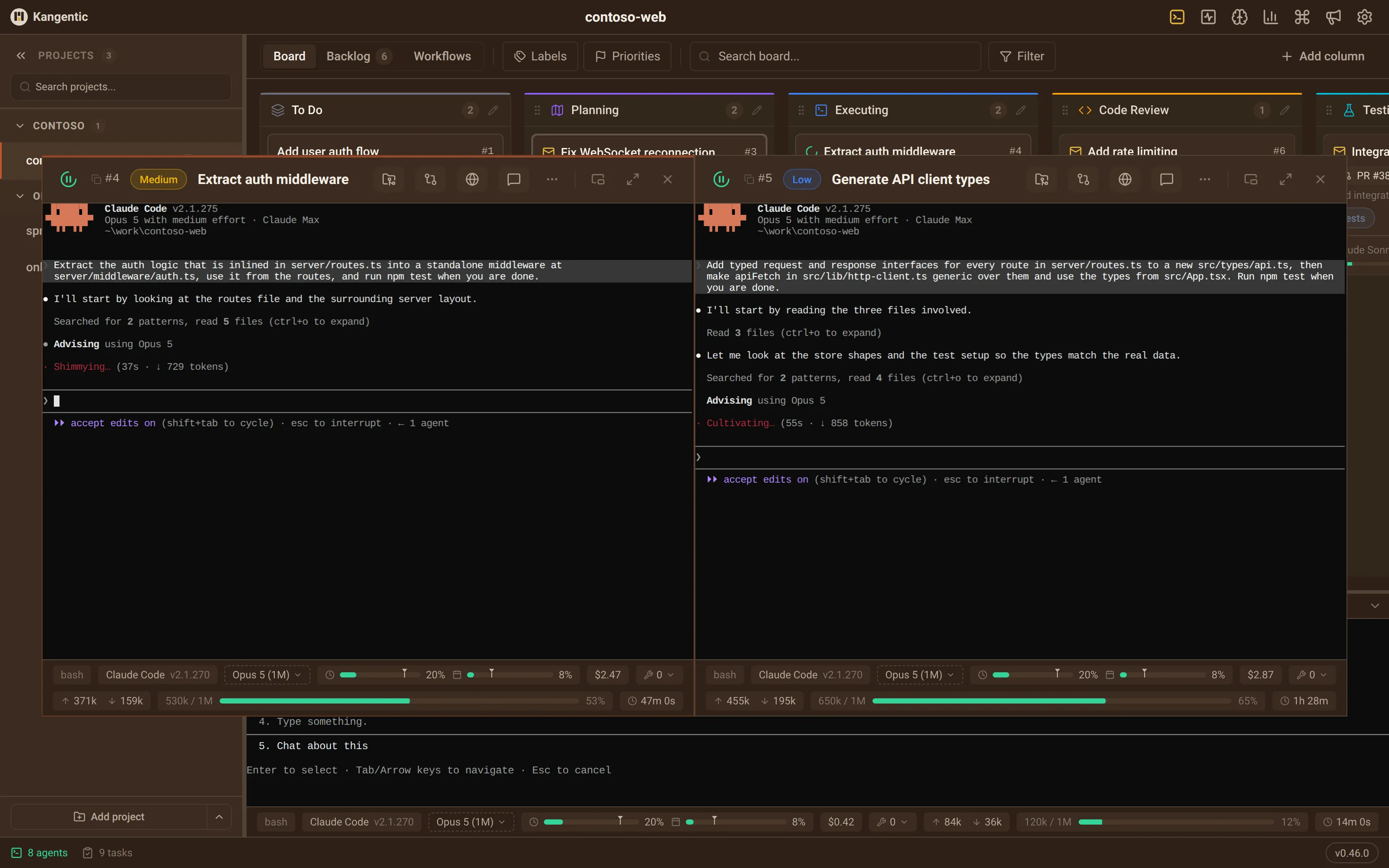
Docking windows
Open several task windows at once and tile them side by side to watch agents work, or pop a panel out onto a second monitor.
- Snap to a half, a corner, or full size, by pointer or keyboard
- Drag a window onto another to tile them, then drag the seam
- Layouts come back per project after a restart
Command
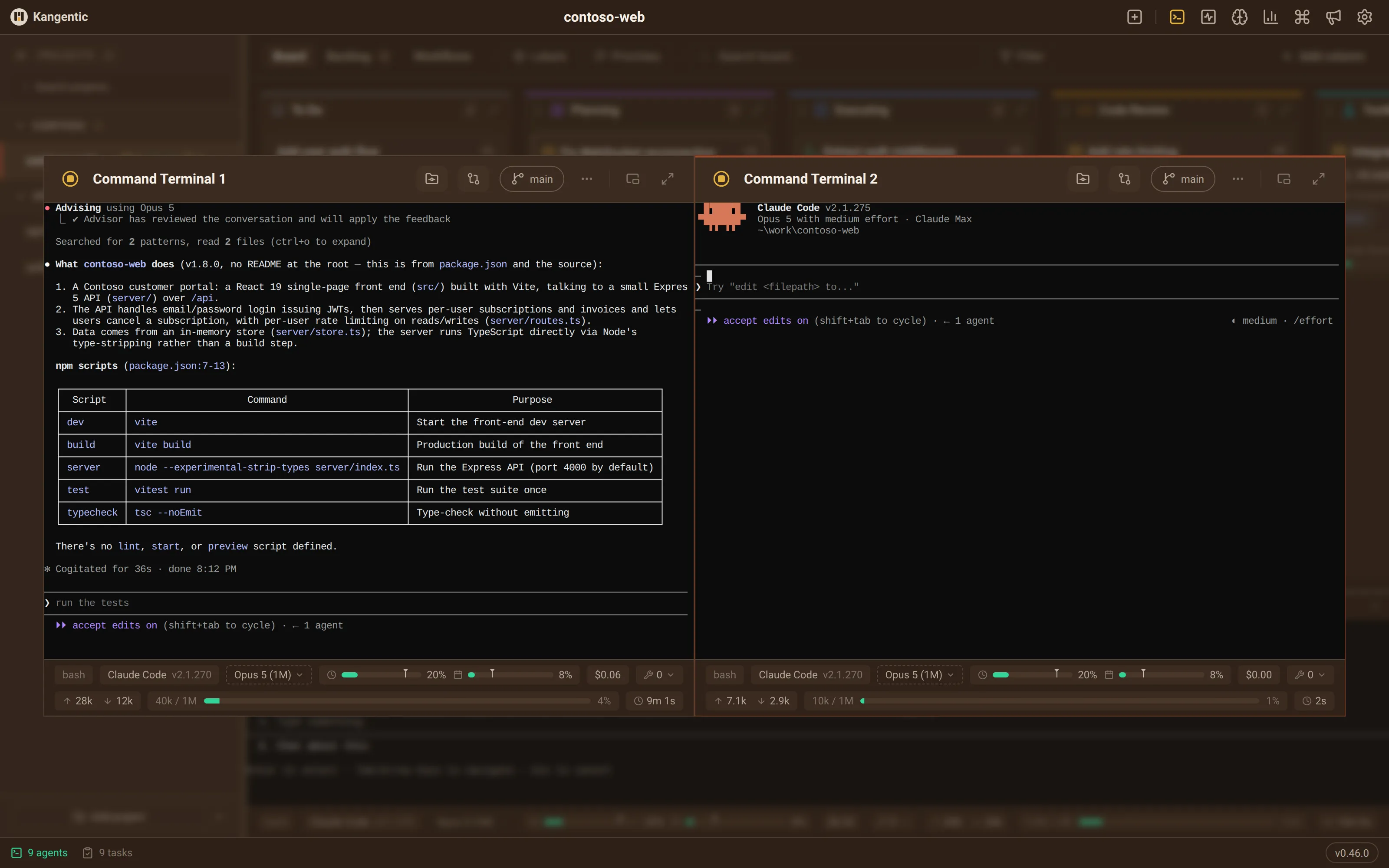
Command Terminal
One shortcut opens a quick agent session at the project root, with no task card. It fetches and fast-forwards your base branch first.
- Run several at once, tiled side by side
- Switch model or effort on the fly from its context bar
- Keeps running when you hide it or switch projects
Voice
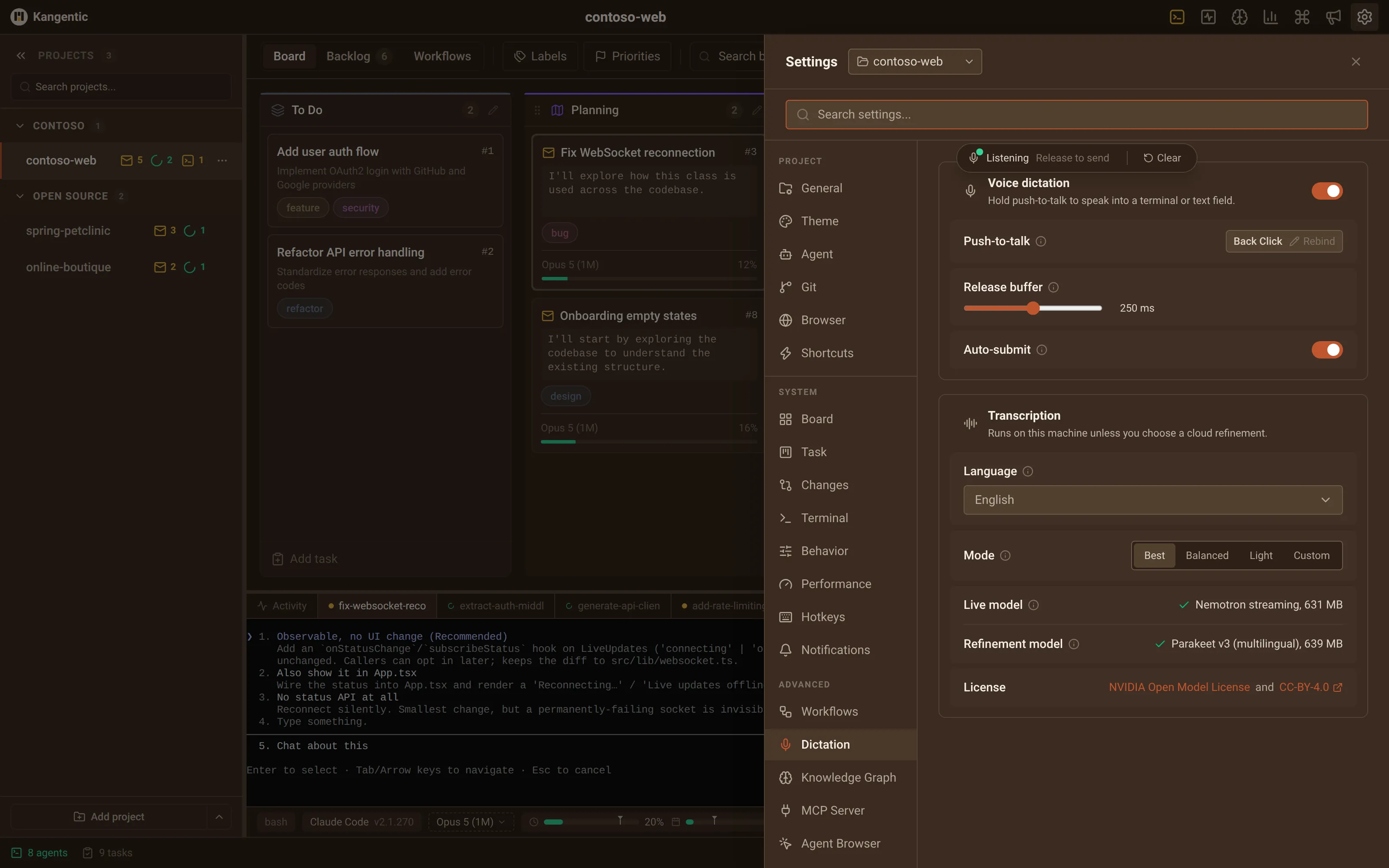
Voice dictation
Hold your push-to-talk button and talk into any input in the app: a task description, a message to an agent, a settings search. It is free and needs no API key.
- Runs on your machine by default; a cloud final pass is optional
- A live preview as you talk; Best adds a more accurate pass on release
- Bind it to a key chord or a mouse side button


Mobile
Check on your agents from your phone
Pair a phone to your desktop once. Read what an agent is doing, answer the question it stopped on, and review the diff before it lands.
- Encrypted end to end
- Self-hostable relay
- No account


FAQ
Frequently Asked Questions
Which AI coding agents does Kangentic work with?
Fifteen agent CLIs:
- Claude Code (Anthropic)
- Codex CLI (OpenAI)
- Gemini CLI (Google)
- Cursor CLI
- GitHub Copilot CLI
- Grok Build (xAI)
- Antigravity CLI (Google)
- Goose CLI (Block)
- OpenCode (sst)
- Aider
- Qwen Code (Alibaba)
- Kimi Code (Moonshot AI)
- Factory Droid
- Warp (Oz CLI)
- Ollama (local models, single-turn chat)
Drag a task to any active column and Kangentic spawns the configured agent's CLI in an isolated git worktree, streaming the terminal into the app. Set a default agent per project and override it per column, so a task can hand off from Claude in Planning to Codex in Executing without leaving the board.
Won't parallel agents conflict with each other in my repo?
No. Each task runs in its own git worktree on its own branch, so agents work in separate checkouts and never see each other's half-finished changes. Your main working directory is never touched. Review each task's diff in the built-in Changes panel and merge on your own terms, or flip a single task to run in the project folder itself when isolation would only get in the way.
Do I need an API key or cloud account to use Kangentic?
No. Kangentic runs the agent CLIs you already have, with the credentials you already configured: no OAuth, no API proxy, no Kangentic account. Your boards, tasks, and transcripts stay in a local SQLite database. The app itself sends only anonymous analytics and crash reports, which KANGENTIC_TELEMETRY turns off, plus update and announcement checks; the CLIs you run still reach their own providers under your own accounts. Full details in the Privacy Policy.
Is Kangentic free and open source?
Yes. Kangentic is free forever under the AGPL-3.0 license, with every feature included and no paid tiers. The source is at github.com/Kangentic/kangentic.
What operating systems does Kangentic support?
Kangentic is a cross-platform Electron desktop app with native installers for Windows (NSIS, x64), macOS (DMG, Apple Silicon and Intel), and Linux (deb and rpm, x64 and arm64). WSL users should install the Windows version.
Is Kangentic just a Kanban board for AI coding agents?
No. The board is the interface; what runs underneath is an agentic development environment (ADE). Dragging a card spawns, suspends, or resumes an agent CLI in its own git worktree, with live terminals, diff review, linked PRs, and an embedded browser to preview what agents build. The columns are automation you define: each carries its own agent, model, permissions, and a message to send the agent, a script, a webhook, or a notification when a card arrives or leaves. Backlog import brings work in from the tools your team already uses, handoff carries context between agents mid-task, and the board's own MCP tools let agents create tasks, move cards, and message other running sessions.
How is Kangentic different from running agents in separate terminals?
Running agents in separate terminal tabs scales poorly: you context-switch between windows, lose track of what each one is doing, and have no shared view of progress. Kangentic drives the same CLIs under the same accounts, but puts every session on one board: column moves start, suspend, and resume agents, each task gets its own git worktree, and a unified activity view shows which agents are thinking, idle, or waiting for approval. The workflow those columns run is the one you define, not one Kangentic imposes.
Built with
Built with
Modern, battle-tested technologies for reliability and performance.
Dogfooding
Kangentic builds Kangentic
Every feature of Kangentic was planned, built, and reviewed by agents on a Kangentic board: the desktop app, this website and its docs, the mobile companion, the relay. Here's a slice, mid-flight:
Yes, really. The card in Executing is this very page.
Ready to put your agents on one board?
Under a minute with the CLIs you already have. Free and open source.